Paywalls, plans and usage billing for AI apps
Design paywalls in the console, ship them with one SDK and collect payments through Stripe.
Public beta. Payments run in Stripe Sandbox; Live payments are not open yet.

What's included
Everything is configured in the console. Your app reads it through one SDK.
Paywalls from 49 templates
Edit words, prices and images per language, then publish without a release.
Conversion funnels
Onboarding screens that branch on answers, with A/B tests across 2 to 5 variants.
Monthly and yearly plans
Upgrades apply now and are prorated; downgrades wait for the period end.
Usage credits for AI features
Monthly allowances, credit packs and spends that count once.
Coupons and offers
Promotion codes and targeted grants, reconciled with Stripe.
Paywalls by event and audience
Trigger on an event, target an audience and cap how often it shows.
Access in one call
Your app asks what a customer can use; Stripe-confirmed state answers.
Enforced by the database
Access rules live in database policies, not in hidden buttons.
Onboarding funnels that branch on answers
Design the screens once. Each customer follows the path their answers lead to.
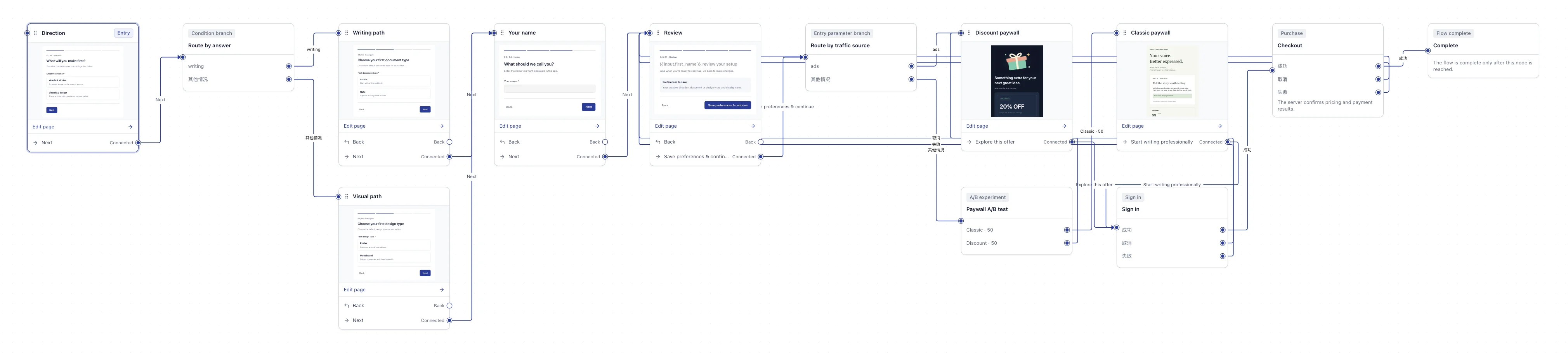
Words & stories · Organic · A/B → Classic: Direction → Route by answer → Writing path → Your name → Review → Route by traffic source → Paywall A/B test → Classic paywall → Sign in → Checkout → Complete
Visuals & design · From ads → Discount: Direction → Route by answer → Visual path → Your name → Review → Route by traffic source → Discount paywall → Sign in → Checkout → Complete
This funnel uses:Answer branch · Traffic-source branch · A/B test with 2–20 variants · Sign-in · Checkout
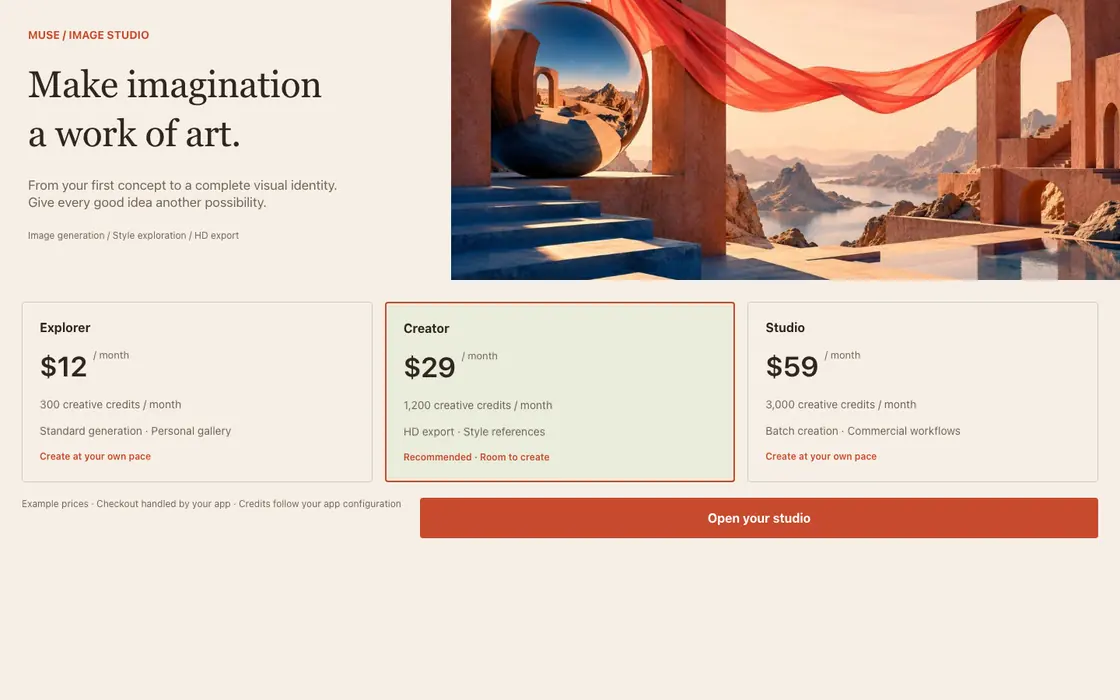
49 paywall templates
Rendered by the SDK, in English and Chinese.
Showing 8 of 43 templates
- MUSEAI tools
 PATCHAI tools
 FRAMEAI tools
 DRAFTAI tools
 PRISMAI tools
 STILLSignature
 FOLIOSignature
 RIDGELINESignature
Real SDK renders of 43 of the 49 templates at a 1440 × 900 desktop viewport; the 6 basic starter templates are not pictured. Prices are template examples.
Integrate with four calls
Three run on your server and one in the browser.
npm install ./vendor/groove-grow-current.tgzThe secret key stays on your server. The browser only holds a customer token, valid for 10 minutes by default.
import { createGrooveServer } from "@tinkerlandai/indiana-sdk/server"; const groove = createGrooveServer({ baseUrl: "https://grow.your-domain.example", apiKey: process.env.GROOVE_SECRET_KEY!, // gg_sk_…; keep this on your server scope: { projectId: "your-app-uuid", environment: "sandbox", },}); // verifiedUser comes from your own verified login sessionconst { customer, created } = await groove.getOrCreateCustomer({ externalUserId: verifiedUser.id, name: verifiedUser.name, email: verifiedUser.email,});{ "created": true, "customer": { "id": "…", "externalUserId": "user_1021", "attributes": { "tags": [] } }}// Your GET /api/groove-session: issue sessions only for signed-in usersconst user = await requireSignedInUser(request); // Return 401 if the user is not signed inconst { customer } = await groove.getOrCreateCustomer({ externalUserId: user.id,});const { customerToken, expiresAt } = await groove.createCustomerSession(customer.id); return Response.json( { customerToken, expiresAt }, { headers: { "Cache-Control": "no-store" } },);{ "customerToken": "gg_ct_…", "expiresAt": "2026-10-03T08:10:00.000Z"}import { createFunnelRunController, showFunnelRun } from "@tinkerlandai/indiana-sdk"; // Your backend retains the original start request and run credential.export async function openFunnel(container: HTMLElement) {const response = await fetch("/api/groove-funnel", { method: "POST", credentials: "same-origin", cache: "no-store",});if (!response.ok) throw new Error("Funnel bootstrap failed");const { runToken } = await response.json();const client = createFunnelRunController({ baseUrl: "https://grow.your-domain.example", scope: { projectId: "your-app-uuid", environment: "sandbox" }, runToken,});const handle = await showFunnelRun(container, { client, onAuthenticate: async () => obtainCurrentUserCustomerToken(), onCheckout: ({ url }) => window.location.assign(url), onOpenUrl: ({ url }) => window.location.assign(url), onError: reportError,});// Keep the host's original bootstrap across navigation and payment returns.// Destroy removes UI; close is an explicit server command.return { handle, client, destroy() { handle.destroy(); client.reset(); } };}// On route leave: flow.destroy(). On explicit dismissal: await flow.handle.close().{ "run": { "status": "running", "nodeType": "screen", "revision": 1 }}// After a job finishes, spend credits on your serverconst { receipt: spend } = await groove.mutateBalance({ customerId: customer.id, command: { operation: "consume", entitlementId, quantity: "1", properties: {}, idempotencyKey: `job:${job.id}`, // Retrying the same job never double-charges },}); if (!spend.accepted) { // Insufficient balance: show the upgrade paywall here}{ "accepted": true, "id": "…", "reason": null}Pricing
Starter
$0
up to $2,500 in monthly revenue
Get started- All 49 paywall templates
- Monthly and yearly plans
- Usage credits and credit packs
Growth
Most popular0.8%
of monthly revenue above $2,500
Get started- Targeting and onboarding experiments
- Fixed prices in 33 currencies
- Coupons and promotion codes
Scale
Custom
volume pricing
Read the docs- Several apps per organization
- Dedicated onboarding
- Priority support
Placeholder pricing for layout only, not an offer. During the public beta, payments run only in Stripe Sandbox and nothing is charged.
Questions
Everything else is in the docs.
How does Indiana relate to Stripe?
Stripe collects the money. Indiana owns the plans, paywalls, targeting and entitlements, and reads subscription state from signed Stripe events.
Can I take real money today?
Not yet. During the public beta, payments run only in Stripe Sandbox and nothing is charged. Live payments open after the beta.
Can customers switch between monthly and yearly?
Yes. Monthly to yearly is an upgrade: it applies now and Stripe charges the prorated difference. A lower price per month is a downgrade and applies at the period end by default.
Do I need a new release to change a paywall?
No. Paywalls are fetched when they are shown, so the next display after you publish uses the new version.
Do I put an API key in the browser?
No, and you can't. The browser SDK accepts customer tokens only and throws if given a key starting with gg_sk_.
Will changing a plan affect existing customers?
No. Each publish creates a new version and existing customers keep theirs. A new default free version only applies to customers identified afterwards.
Ship your first paywall in Sandbox
Create an account, pick a template and publish it to your test app.
During the public beta, payments run only in Stripe Sandbox and nothing is charged.